Lately, AI desktop pets have become a bit of a trend. Both the Claude and Codex communities started dressing up their agents in cute animated pixel skins.
In real-world workflows, though, nobody uses just a single agent. In my daily setup, Codex Desktop and Antigravity run side-by-side, while several Gemini CLI tasks might be churning in background terminals simultaneously.
If every agent claimed its own desktop pet, your display would turn into a chaotic digital zoo in seconds. Having sprites bouncing all over your screen quickly turns from delightful to exhausting.
What I actually wanted was an all-in-one command center: a single pet resting quietly in the corner of my screen that understands what all my active Mac agents are doing in real time.
So I wrote a native macOS desktop utility: ReadyToWhip.
By default, it’s just an unobtrusive pixel pet hovering peacefully along the edge of your screen.
No matter how many agents are grinding away in the background, a single click opens a native frosted-glass HUD. It gives you an instant snapshot: which project each agent is working on, who is blocked waiting for your input, and who just wrapped up.
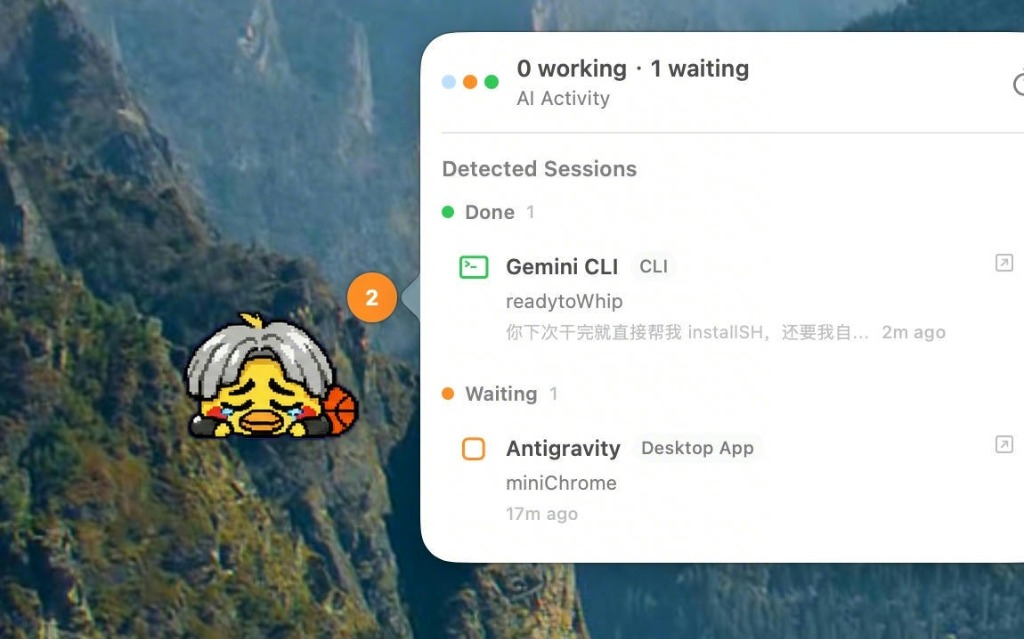
I also built an open skinning engine supporting Petdex, WebP animated stickers, and standard spritesheet formats.
Hit Open Pets Folder in settings, drop in any WebP animation or custom sprite bundle, and it seamlessly switches into whatever desktop companion you prefer.
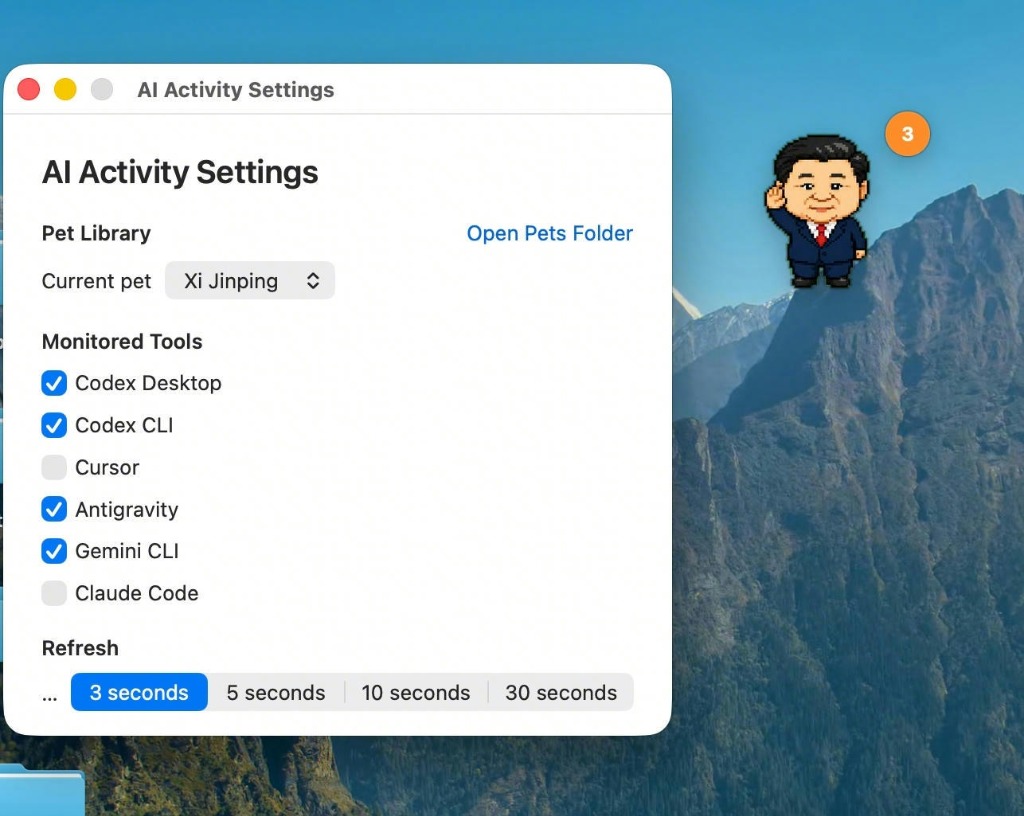
Having a fleet of agents do the heavy lifting while raising a virtual Kunkun right on my desktop makes daily coding feel significantly more lighthearted.
Repository: GitHub - KhalilHsu/readytoWhip